# Calliope - 1: Smiley

### Ziel

Wir wollen ein Daumenkino aus Papier basteln. Wir wollen dann den Calliope-mini so programmieren, dass auch er ein Daumenkino abspielt.

### Voraussetzungen / Materialien

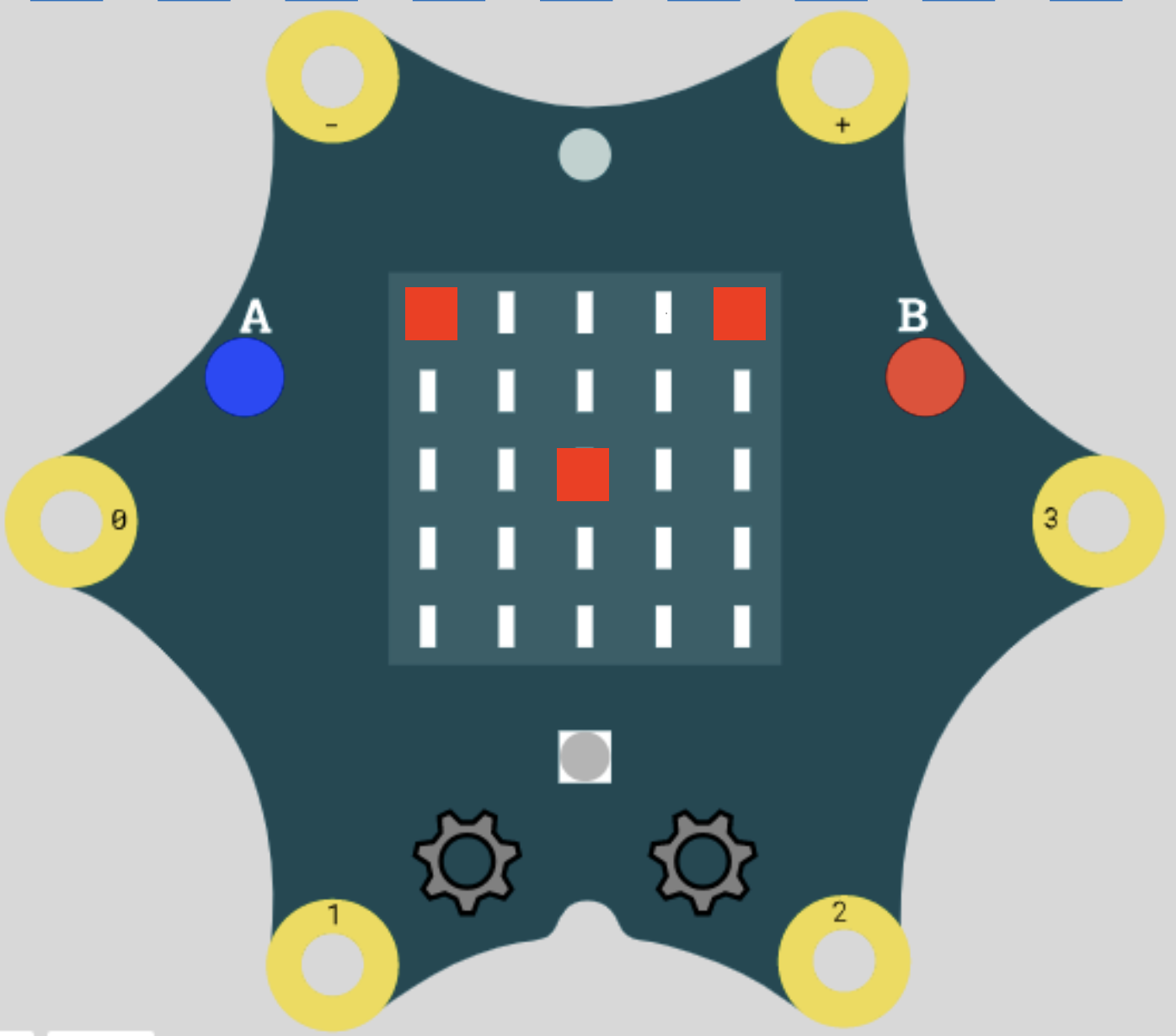
<table border="1" id="bkmrk-" style="border-collapse: collapse; width: 100%; height: 372px;"><colgroup><col style="width: 21.071429%;"></col><col style="width: 17.380952%;"></col><col style="width: 18.809524%;"></col><col style="width: 20.47619%;"></col><col style="width: 22.142857%;"></col></colgroup><tbody><tr style="height: 148px;"><td>**Calliope**

**[![image.jpeg](https://calliope.codingkidz.de/wiki/uploads/images/gallery/2025-06/scaled-1680-/22ximage.jpeg)](https://calliope.codingkidz.de/wiki/uploads/images/gallery/2025-06/22ximage.jpeg)**

</td><td style="height: 148px;">**Calliope Bogen**

**[![image.png](https://calliope.codingkidz.de/wiki/uploads/images/gallery/2025-06/scaled-1680-/Cuzimage.png)](https://calliope.codingkidz.de/wiki/attachments/76)**

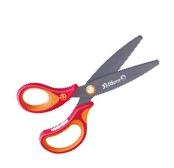
</td><td style="height: 148px;">**Schere**

**[![image.jpeg](https://calliope.codingkidz.de/wiki/uploads/images/gallery/2025-06/scaled-1680-/image.jpeg)](https://calliope.codingkidz.de/wiki/uploads/images/gallery/2025-06/image.jpeg)**

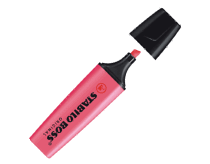
</td><td style="height: 148px;">**Stift**

**[![image.gif](https://calliope.codingkidz.de/wiki/uploads/images/gallery/2025-06/2uZimage.gif)](https://calliope.codingkidz.de/wiki/uploads/images/gallery/2025-06/2uZimage.gif)**

</td><td style="height: 148px;">**Kleber**

**[![image.jpeg](https://calliope.codingkidz.de/wiki/uploads/images/gallery/2025-06/scaled-1680-/4lyimage.jpeg)](https://calliope.codingkidz.de/wiki/uploads/images/gallery/2025-06/4lyimage.jpeg)**

</td></tr></tbody></table>

### Aufgabe 1 - Papier Daumenkino 

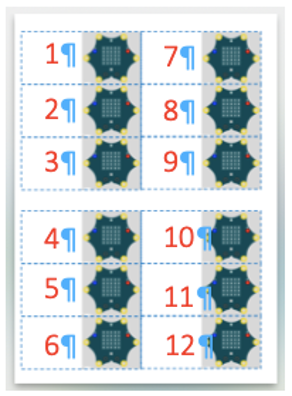
<table border="1" id="bkmrk-1-2-3-4" style="border-collapse: collapse; width: 100%; height: 122px;"><colgroup><col style="width: 5.595238%;"></col><col style="width: 31.071429%;"></col><col style="width: 63.214286%;"></col></colgroup><tbody><tr style="height: 35px;"><td style="height: 35px;">1</td><td style="height: 35px;">Nimm Dir einen ausgedruckten Calliope Bogen.

</td><td style="height: 35px;">**[![image.png](https://calliope.codingkidz.de/wiki/uploads/images/gallery/2025-06/scaled-1680-/Cuzimage.png)](https://calliope.codingkidz.de/wiki/attachments/76)**

[Vorlage\_Daumenkino\_12.pdf](https://calliope.codingkidz.de/wiki/attachments/77)

</td></tr><tr style="height: 29px;"><td style="height: 29px;">2</td><td style="height: 29px;">Male die 5x5 Felder so aus, dass eine Figur entsteht.

Die Punkte verändern sich von   
Blatt zu Blatt, so dass eine Bewegung entsteht, wenn man die Blätter nacheinander angezeigt werden.

</td><td style="height: 29px;">[![Bildschirmfoto 2025-06-01 um 16.52.18.png](https://calliope.codingkidz.de/wiki/uploads/images/gallery/2025-06/scaled-1680-/bildschirmfoto-2025-06-01-um-16-52-18.png)](https://calliope.codingkidz.de/wiki/uploads/images/gallery/2025-06/bildschirmfoto-2025-06-01-um-16-52-18.png)

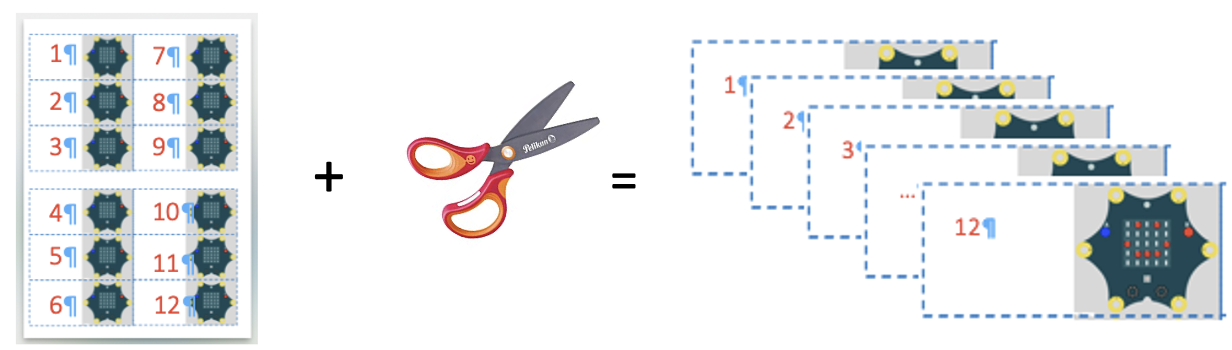
</td></tr><tr style="height: 29px;"><td style="height: 29px;">3</td><td style="height: 29px;">Schneide die einzelnen Blätter des Calliope-Bogens aus und sortiere sie in der richtigen Reihenfolge.

</td><td style="height: 29px;">[![Bildschirmfoto 2025-06-01 um 16.14.48.png](https://calliope.codingkidz.de/wiki/uploads/images/gallery/2025-06/scaled-1680-/bildschirmfoto-2025-06-01-um-16-14-48.png)](https://calliope.codingkidz.de/wiki/uploads/images/gallery/2025-06/bildschirmfoto-2025-06-01-um-16-14-48.png)

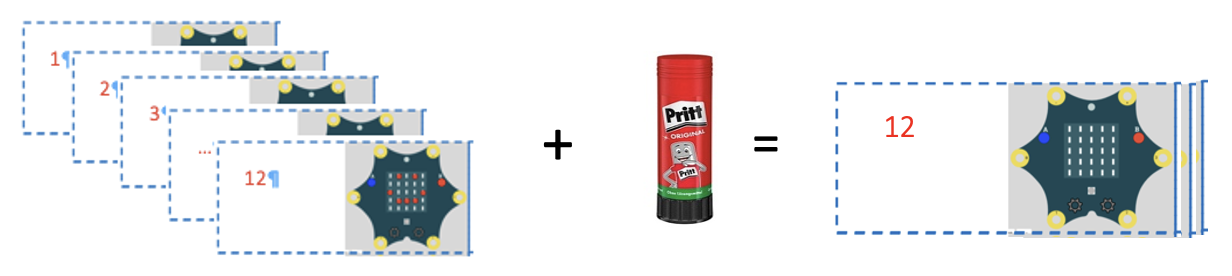
</td></tr><tr style="height: 29px;"><td style="height: 29px;">4</td><td style="height: 29px;">Klebe die Blätter in der richtigen Reihenfolge zusammen. Achte darauf, dass die Blätter etwas versetzt zusammengeklebt werden, damit Du die Blätter auch gut mit dem Daumen bewegen kannst. </td><td style="height: 29px;">[![Bildschirmfoto 2025-06-01 um 16.16.21.png](https://calliope.codingkidz.de/wiki/uploads/images/gallery/2025-06/scaled-1680-/bildschirmfoto-2025-06-01-um-16-16-21.png)](https://calliope.codingkidz.de/wiki/uploads/images/gallery/2025-06/bildschirmfoto-2025-06-01-um-16-16-21.png)

</td></tr><tr><td>5</td><td>Probiere es aus. </td><td></td></tr></tbody></table>

### Aufgabe 2 - Calliope Daumenkino 

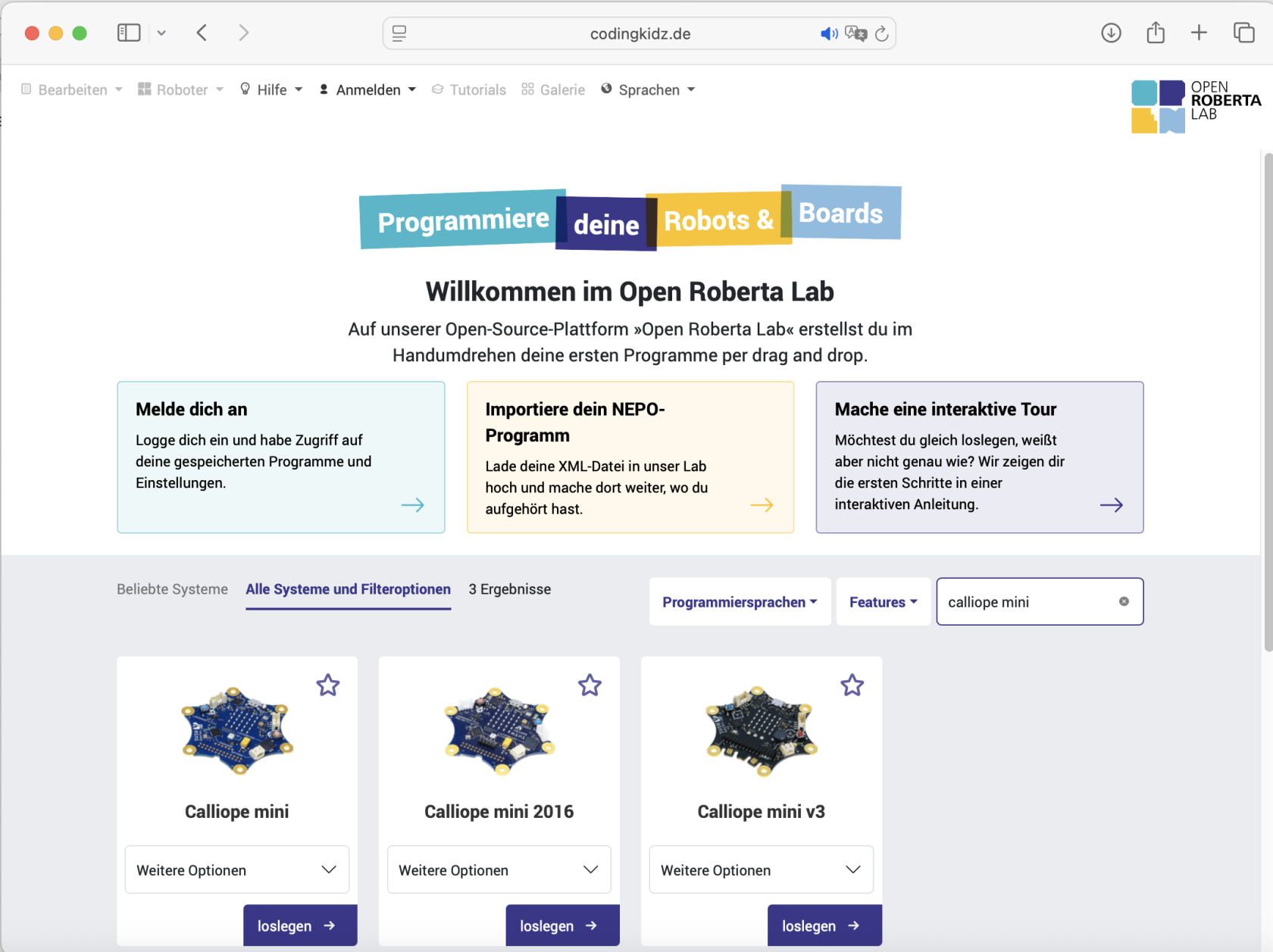
<table border="1" id="bkmrk-1-klicke-auf-https%3A%2F" style="border-collapse: collapse; width: 100%; height: 122px;"><colgroup><col style="width: 5.595238%;"></col><col style="width: 31.071429%;"></col><col style="width: 63.214286%;"></col></colgroup><tbody><tr style="height: 35px;"><td style="height: 35px;">1</td><td style="height: 35px;">klicke auf [https://codingkidz.de](https://codingkidz.de)

Wähle den Calliope mini aus, um die Programmierumgebung zu starten

</td><td style="height: 35px;">[![Bildschirmfoto 2025-06-01 um 16.26.47.png](https://calliope.codingkidz.de/wiki/uploads/images/gallery/2025-06/scaled-1680-/bildschirmfoto-2025-06-01-um-16-26-47.png)](https://calliope.codingkidz.de/wiki/uploads/images/gallery/2025-06/bildschirmfoto-2025-06-01-um-16-26-47.png)

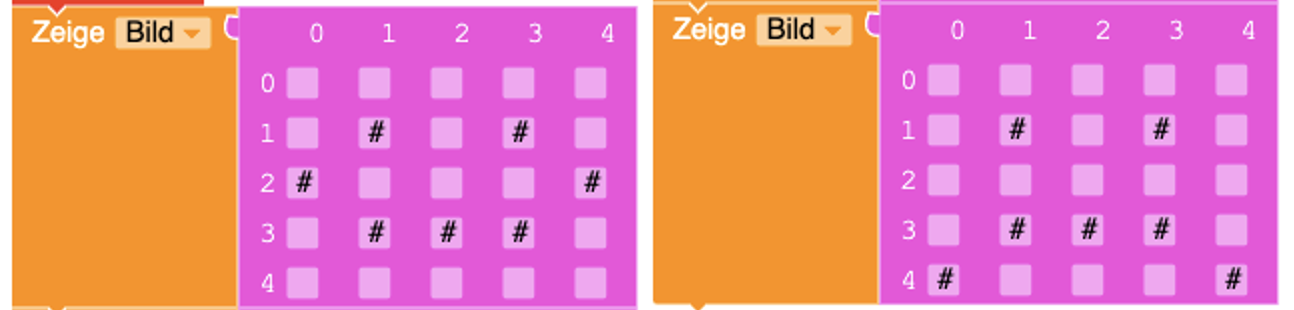
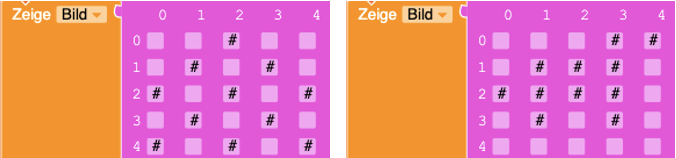
</td></tr><tr><td>2</td><td>Auf dem Calliope-mini soll abwechselnd einen lachenden und traurigen Smiley angezeigt werden.

1. Stelle einen Smiley auf der Anzeige des Calliope-minis dar.
2. Nutze dafür die Zeige Bild Blöcke für einen lachenden und einen traurigen Smiley.

</td><td>[![image.png](https://calliope.codingkidz.de/wiki/uploads/images/gallery/2025-06/scaled-1680-/B3simage.png)](https://calliope.codingkidz.de/wiki/uploads/images/gallery/2025-06/B3simage.png)

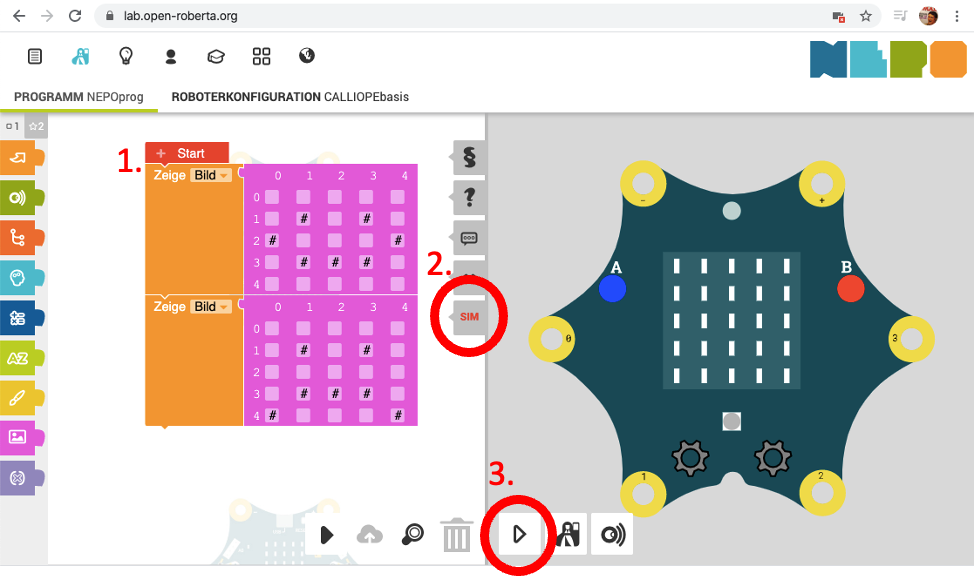
</td></tr><tr><td>3</td><td>1. Docke die beiden Smiley-Blöcke untereinander an den Start-Block.
2. Klicke den SIM Tabulator für die Simulation der Programmierung.
3. Klicke auf den Play-Knopf, um die Simulation zu starten.

</td><td>[![image.png](https://calliope.codingkidz.de/wiki/uploads/images/gallery/2025-06/scaled-1680-/Urrimage.png)](https://calliope.codingkidz.de/wiki/uploads/images/gallery/2025-06/Urrimage.png)

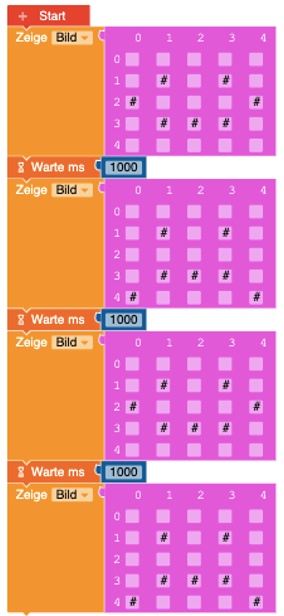
</td></tr><tr><td>4</td><td>Führe das folgende Programm in der Simulation aus.

Wie häufig wechseln sich die Smileys ab?

1. niemals
2. viermal
3. unendlich oft

</td><td>[![image.png](https://calliope.codingkidz.de/wiki/uploads/images/gallery/2025-06/scaled-1680-/0Utimage.png)](https://calliope.codingkidz.de/wiki/uploads/images/gallery/2025-06/0Utimage.png)

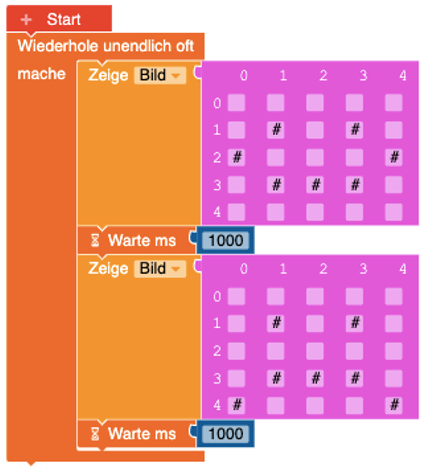
</td></tr><tr><td>5</td><td>Führe das folgende Programm in der Simulation aus.

Wie häufig wechseln sich die Smileys ab?

1. niemals
2. viermal
3. unendlich oft

</td><td>[![image.png](https://calliope.codingkidz.de/wiki/uploads/images/gallery/2025-06/scaled-1680-/upKimage.png)](https://calliope.codingkidz.de/wiki/uploads/images/gallery/2025-06/upKimage.png)

</td></tr></tbody></table>

### Experimentierzeit

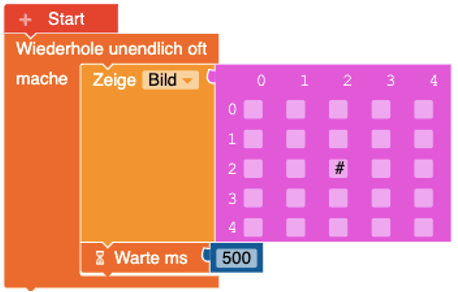
<table border="1" id="bkmrk-1-2-3-4-1" style="border-collapse: collapse; width: 100%; height: 390px;"><colgroup><col style="width: 5.595238%;"></col><col style="width: 31.190476%;"></col><col style="width: 63.095238%;"></col></colgroup><tbody><tr style="height: 303px;"><td style="height: 303px;">1</td><td style="height: 303px;">Auf der Anzeige des Calliope-mini soll ein springender Punkt zu sehen sein

- Programmiere eine Folge von Zeige Bild Blöcken auf denen sich ein Punkt hüpfend bewegt.
- Erweitere dafür das folgende Programm.

</td><td style="height: 303px;">[![image.png](https://calliope.codingkidz.de/wiki/uploads/images/gallery/2025-06/scaled-1680-/8YDimage.png)](https://calliope.codingkidz.de/wiki/uploads/images/gallery/2025-06/8YDimage.png)

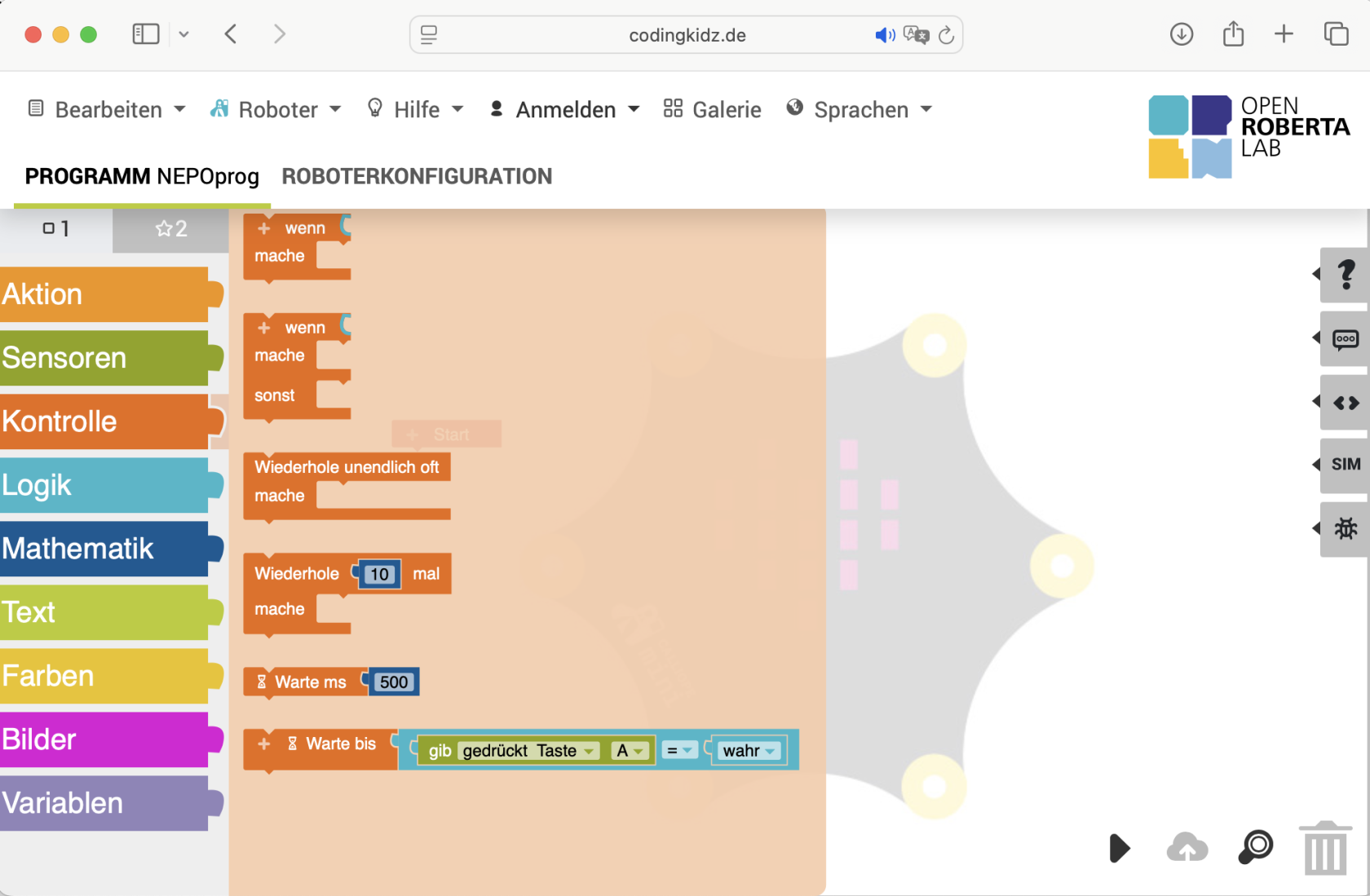
</td></tr><tr style="height: 29px;"><td style="height: 29px;">2</td><td style="height: 29px;">Welche Wiederholungsschleife müsstest Du benutzen, damit sich Deine Bilder-Sequenz 10 mal wiederholt?

</td><td style="height: 29px;">[![Bildschirmfoto 2025-06-01 um 16.38.40.png](https://calliope.codingkidz.de/wiki/uploads/images/gallery/2025-06/scaled-1680-/bildschirmfoto-2025-06-01-um-16-38-40.png)](https://calliope.codingkidz.de/wiki/uploads/images/gallery/2025-06/bildschirmfoto-2025-06-01-um-16-38-40.png)

</td></tr><tr style="height: 29px;"><td style="height: 29px;">3</td><td style="height: 29px;">- Erweitere das Programm um weitere Bilder.
- Wie könnte ein Raketenstart aussehen?
- Wie könnte ein laufender Hund aussehen?

</td><td style="height: 29px;">[![image.png](https://calliope.codingkidz.de/wiki/uploads/images/gallery/2025-06/scaled-1680-/LIOimage.png)](https://calliope.codingkidz.de/wiki/uploads/images/gallery/2025-06/LIOimage.png)

</td></tr></tbody></table>